
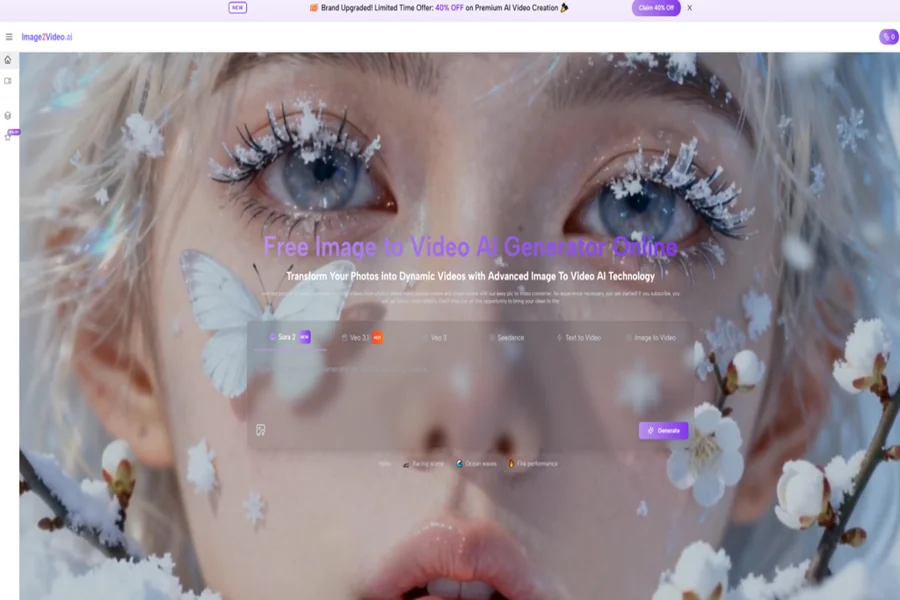
Image to Video AI becomes more interesting when you stop thinking about it as an editing shortcut and start thinking about it as a decision-making tool. In the past, creators usually had to decide whether an idea deserved the time, software, and labor of a video workflow before they could even see that idea move. That early decision was often the point where useful concepts died. A still image might already contain the right mood, subject, framing, and message, yet remain trapped in a static format because turning it into motion felt too expensive or too slow. What this platform changes is not only output speed. It changes the threshold for trying an idea in motion at all.
That shift matters because creative work is full of half-finished possibilities. A product image may already feel ready for an ad. A portrait may already suggest a story. A travel photo may already hold enough atmosphere for a short visual sequence. In many cases, the real obstacle is not imagination but workflow friction. When a platform lets a user upload an image, describe the desired result, adjust a few settings, and generate a short video, the creative process becomes less about committing to full production and more about testing visual potential. In my view, that is the deeper reason tools like this deserve attention.
Why Static Images Often Stop Short
A strong still image often solves more of the communication problem than people admit. It may already carry color balance, subject emphasis, brand tone, and emotional direction. Yet once content enters channels that reward motion, the still begins to feel incomplete. It can still function, but it may not compete as effectively for attention.
This is especially visible in social distribution, product showcasing, light storytelling, and educational presentation. The problem is not that static visuals have become useless. The problem is that audiences increasingly encounter information in formats where movement shapes engagement.
A Finished Image Can Still Be Unfinished Media
That sentence may sound contradictory, but it describes a common creative reality. A visual can be compositionally finished and still operationally unfinished. It is done as an image, but not yet useful as a short video asset.
That difference is where image-to-video systems enter the workflow. They do not ask the user to invent the entire visual language from zero. They begin from something that already exists.
The Main Constraint Has Been Process Cost
For many teams and individual creators, motion has historically been limited less by vision than by process. Editing tools, animation logic, export settings, and iteration time all add overhead. Even simple motion can feel unjustifiably heavy when the goal is only to test whether a still concept becomes more effective in video form.
Lower Friction Creates More Honest Experimentation
One of the most useful effects of a lighter workflow is that it encourages people to test ideas they would otherwise ignore. Sometimes a concept does not need months of strategic planning. It needs ten minutes of experimentation to reveal whether it has life.
What The Official Workflow Suggests
The platform’s homepage and generator pages present a workflow that is notably direct. That simplicity is not accidental. It tells you what kind of creative behavior the site expects.
Step One Begins With An Uploaded Image
The homepage explains that the user chooses a picture and uploads it, with support for JPEG and PNG formats. That is an important starting point because it means the platform is built around existing visual material rather than only text-based invention.
Starting from an image changes the level of predictability. The user is not asking the system to invent all composition, subject matter, and visual tone from scratch. The image already carries much of that burden.
Step Two Uses Natural Language As Guidance
The next official step is entering a text description. This is more significant than it first appears. The user is not only uploading a file and clicking generate. The user is also framing what kind of motion, atmosphere, or transformation should happen.
In practical terms, that means the platform treats language as a control surface. It allows a creator to think in terms of intent rather than manual animation.
Step Three Adds Settings Before Generation
The dedicated generator page makes it clear that the process is not entirely automatic. Users can choose settings such as aspect ratio, video length, resolution, frame rate, seed, visibility, and model options. That extra layer matters because it moves the tool beyond novelty.
A wide ratio may fit one use case, while a vertical ratio fits another. A quick test may not require the same settings as a polished shareable asset. These choices give the user enough control to adapt the result to real publishing conditions.
Step Four Ends With A Usable Output
The homepage describes waiting for processing, then checking and sharing the completed video. The broader video section also frames output as something that can usually be generated in seconds to minutes depending on complexity. In other words, this is not presented as a research demo. It is presented as a content production tool.
How This Changes The Way People Choose Ideas
The most interesting impact may happen before the video is even made. When motion becomes easier to attempt, creators begin choosing concepts differently.
| Old Creative Question | New Creative Question |
| Is this idea worth a full video workflow? | Is this image worth testing in motion? |
| Can we allocate editing time for this? | Can we prompt and generate a version now? |
| Do we need new footage? | Can the existing visual already carry the story? |
| Should this remain a static post? | Would short motion improve how it lands? |
That table captures why I think this category matters. The tool does not simply reduce execution time. It changes the type of question a creator asks at the beginning.
Why Existing Images Become More Valuable
Modern creative teams often sit on large archives of photos, renders, diagrams, moodboards, and campaign assets. Traditionally, those assets had limited format flexibility unless someone manually rebuilt them into motion content.
An Image Archive Becomes A Motion Archive
This is one of the most useful conceptual shifts. Once still images can be turned into short videos through prompting and parameter choices, the value of older assets changes. They are no longer limited to galleries, banners, and static posts.
A product image can become a moving showcase. A portrait can become a mood-led clip. A scenic photo can become an atmosphere piece. An old family image can become a memory sequence.
The Workflow Rewards Reuse Without Feeling Cheap
Reuse sometimes carries a negative association, as if repurposing content automatically weakens it. But in my observation, high-quality reuse is often a mark of strategic thinking. The best workflows extract more value from good source material without flattening it into repetition.
Good Reuse Depends On Direction, Not Just Conversion
This is where prompting matters. The same source image can produce different emotional outcomes depending on how the user describes motion, feeling, and emphasis. Reuse works best when it adds interpretation, not just format change.
Where Photo to Video Fits In Real Work
Photo to Video sounds like a narrow label, but it actually points to a broad change in how visuals travel through modern workflows. A photo is no longer only an endpoint. It becomes a source unit that can branch into motion.
For marketers, this can mean turning product photography into lightweight ad material. For educators, it can mean guiding attention across a visual explanation. For social creators, it can mean extending the life of a photoshoot without producing brand-new footage. For personal projects, it can mean shifting memory from archive to experience.
A Better Standard For Evaluating Results
People often judge generated video by asking whether it looks flawless. I think that standard is too blunt.
Prompt Alignment Matters First
The first question should be whether the video follows the user’s intention. If the movement, atmosphere, or pacing feel disconnected from the prompt, the result misses the point even if it looks technically impressive.
Use Context Matters Second
A short clip for a product page, a social story, and a sentimental memory montage do not need the same type of motion. The output should be judged against the job it is supposed to do.
Iteration Cost Matters Third
If a first result is imperfect but the workflow makes refinement easy, the tool can still be extremely useful. Creative systems should not be judged only by first-pass perfection. They should also be judged by how well they support second and third attempts.
This Is Why Speed Is Part Of Quality
Speed is often treated as separate from quality, but in practical production it is part of quality. A fast workflow that supports several meaningful tries can produce stronger final choices than a slow workflow that discourages experimentation.
What The Platform Seems To Prioritize
From the official pages, several priorities stand out clearly.
Accessibility Over Technical Intimidation
The site consistently presents the process in simple terms: upload, describe, generate, share. That language suggests the platform is meant for people who want results without a steep learning curve.
Flexible Output Contexts
The visible controls for ratio, resolution, frame rate, and other settings indicate that the platform recognizes different output needs. This is an important sign of seriousness. Real creative tools have to care about where media ends up, not only how it begins.
A Broader Ecosystem Around The Core Feature
The homepage also points to text-to-video, AI video generation, themed effect pages, and related tools. This makes the site feel less like a one-purpose converter and more like a broader surface for lightweight visual generation.
The Limits Are Also Part Of The Story
A useful article should not pretend the category has no weaknesses. In practice, the limitations help define what the platform is best for.
Prompting Still Requires Judgment
Natural language feels easier than manual editing, but it is still creative work. A vague prompt will not usually produce a precise result.
Short Outputs Shape Expectations
The generator page highlights concise duration settings. That suggests the platform is strongest for short-form motion content rather than long narrative construction.
Some Ideas Need More Than One Pass
The broader video section encourages refining prompts and regenerating if the first result is not satisfactory. That is a realistic admission, and I see it as a strength rather than a weakness. It treats iteration as normal.
Traditional Editing Still Matters At The High End
For highly controlled campaigns, complex narrative pieces, or frame-specific brand work, human editing and post-production remain important. The platform seems more naturally suited to fast-turnaround visual motion and concept extension.
Why This Matters Beyond One Tool
The larger trend here is not only about AI output. It is about creative confidence. When the cost of trying motion drops, more ideas get tested. When more ideas get tested, creators become less conservative about what a still image can become.
That changes the emotional rhythm of work. Instead of storing a good image and hoping it becomes useful later, a creator can ask immediately whether it wants movement, what kind of movement fits it, and whether a short generated result reveals new value. This is not simply a faster route to video. It is a more experimental way of thinking about visual assets.
That is why I think the platform matters. It shortens the distance between visual intuition and moving output. It lets users begin with an image they already trust, shape motion with language they already use, and arrive at a shareable result without building a full production chain around every idea. In creative practice, that is not a small convenience. It is a change in how decisions get made.